
How to Keep Embroidery Clean While Changing Size
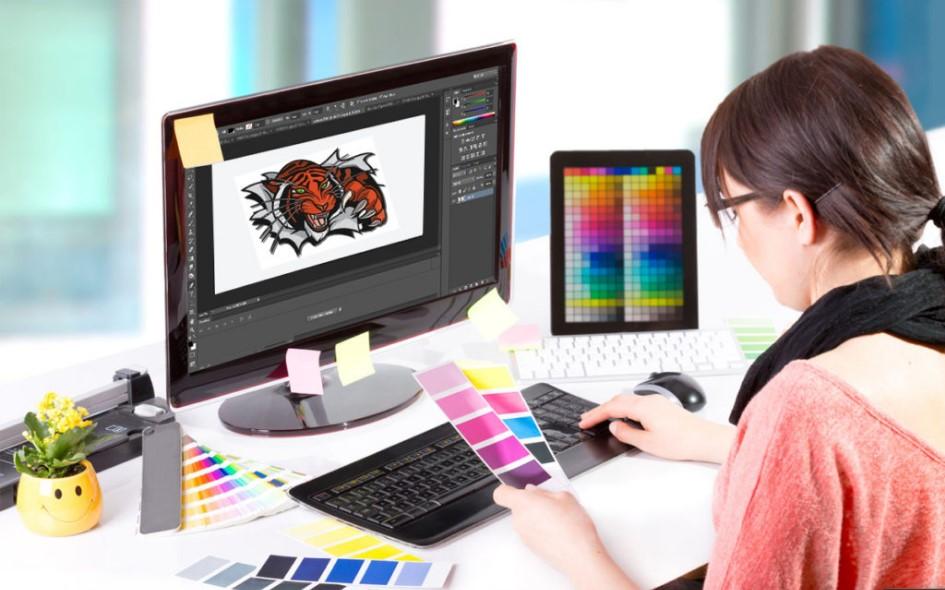
Many people need to make an embroidery design bigger or smaller. A logo may need to fit a cap. A name may need to fit a sleeve. A large back design may need a small chest version. Size changes are common in embroidery work.
That is why an Embroidery Design Resizing Guide is so helpful for beginners and businesses. Changing size is not just stretching a file. It must be done with care so the design stays clean, sharp, and smooth on fabric.
Why Size Changes Matter
One design is often used on many items.
Common Uses:
-
Caps
-
Shirts
-
Jackets
-
Bags
-
Towels
-
Uniforms
Each item may need a different size.
Why Simple Stretching Can Fail
Many people think resizing is easy. They just click enlarge or shrink. But embroidery files are made of stitches.
When Resized the Wrong Way:
-
Stitches get too long
-
Stitches get too short
-
Text closes up
-
Fabric puckers
-
Shapes look rough
This is why proper resizing matters.
What Makes a Clean Resized File
A good resized file should still stitch well.
It Should Have:
-
Sharp edges
-
Smooth fill areas
-
Clear text
-
Balanced density
-
Correct stitch length
If these stay right, the design stays clean.
Step 1: Know the Final Use
Before changing size, know where the design will go.
Ask:
-
Is it for a cap?
-
Is it for a sleeve?
-
Is it for the chest?
-
Is it for the back?
The item affects how the file should be changed.
Step 2: Check the Size Change Amount
Small changes are easier than big changes.
Safe Small Changes:
Around 5% to 10% up or down may work well.
Bigger Changes:
Need more editing and testing.
Large changes often need manual fixes.
Step 3: Fix Stitch Density
Density means how close stitches sit together.
If You Shrink a Design:
Stitches may get crowded.
If You Enlarge a Design:
Gaps may appear.
Good resizing adjusts density too.
Step 4: Adjust Stitch Length
Stitch length changes with size.
Too Long:
-
Loose look
-
Snag risk
Too Short:
-
Thread breaks
-
Rough texture
Experts rebalance stitch length after resizing.
Step 5: Protect Small Text
Text is often the first thing to fail.
Small Letters May:
-
Fill in
-
Lose shape
-
Become unreadable
Sometimes text must be redigitized, not just resized.
Step 6: Review Underlay
Underlay is the support stitch under the top thread.
It Helps:
-
Hold fabric steady
-
Support top stitches
-
Keep shapes neat
When size changes, underlay may need updates too.
Step 7: Test the File
Never trust screen view only.
A Test Sewout Shows:
-
Real stitch quality
-
Fabric pull
-
Text clarity
-
Shape balance
Testing saves time and waste.
Real Experience: Why Manual Editing Wins
Many shops use auto resize tools. Sometimes they work for small changes. But large changes often create problems.
A chest logo shrunk for a cap may lose text. A small design enlarged for a jacket may show gaps. That is why skilled editing matters.
Teams like Absolute Digitizing often rebuild parts of files so resized designs still run clean on machines.
Common Problems and Fixes
Text Looks Blurry
Cause:
Design shrunk too much.
Fix:
Redigitize letters larger and cleaner.
Fabric Puckers
Cause:
Too much density after shrinking.
Fix:
Reduce stitch count and use backing.
Fill Areas Show Gaps
Cause:
Design enlarged too far.
Fix:
Increase fill coverage.
Edges Look Rough
Cause:
Wrong stitch length or pull issues.
Fix:
Adjust paths and compensation.
Why Fabric Type Matters
The same resized file may stitch differently on each fabric.
Cotton Shirts
Stable and easier to run.
Caps
Need center-out pathing.
Towels
Need stronger top coverage.
Stretch Wear
Need softer settings.
Always match the file to the item.
Best Uses for Multiple Sizes
Many brands need one logo in several sizes.
Common Sets:
-
Left chest logo
-
Hat front logo
-
Sleeve logo
-
Jacket back logo
-
Bag logo
Each version should be prepared properly.
Tips for Better Resizing Results
Start With the Original File
Use the clean master file, not a copy of a copy.
Keep Changes Small When Possible
Big jumps need more edits.
Use Good Backing
Support helps clean stitching.
Check Needle and Thread
Good tools improve results.
Run a Sample First
Always test before bulk work.
Why Businesses Need Clean Size Changes
A logo should look strong on every item.
Clean Results Help:
-
Build trust
-
Improve brand image
-
Reduce remakes
-
Keep customers happy
Poor resized logos can make a business look careless.
Why Experience Matters
Resizing is more than clicking a button.
Experts Understand:
-
Stitch behavior
-
Fabric movement
-
Text limits
-
Density balance
-
Machine results
That hands-on skill creates better files.
Trusted teams like Absolute Digitizing use real production knowledge to keep designs clean while changing size.
Mistakes Beginners Often Make
Avoid these common issues.
Shrinking Too Much
Tiny logos may fail.
Enlarging Too Far
Large gaps can appear.
Ignoring Text
Small letters need special care.
No Test Run
Always sample first.
Using Wrong File Version
Keep original files safe.
How to Decide When to Redigitize
Sometimes resizing is not enough.
Redigitize When:
-
Size changes are very large
-
Text becomes unreadable
-
Detail is lost
-
Fabric type changes a lot
A fresh file may give better results.
EEAT in Embroidery Resizing
Great file work follows trusted values.
Experience
Real machine and fabric knowledge.
Expertise
Knowing stitch density and size limits.
Authority
Consistent clean output.
Trustworthiness
Reliable files and honest advice.
These values help customers feel secure.
Why Clean Logos Matter Most
Your logo is your face on fabric.
People Notice:
-
Sharp text
-
Clean borders
-
Even fills
-
Good placement
A clean resized logo keeps your brand strong everywhere.
Final Thoughts
Keeping embroidery clean while changing size takes care and skill. It is not just making a file bigger or smaller. You must adjust density, stitch length, underlay, and detail so the design still runs well.
Start with the original file. Match the design to the item. Test every new size. When needed, rebuild parts of the file.
With the right process, one logo can look sharp on caps, shirts, jackets, and more. That means better quality, better branding, and better results every time.

 English
 French
 Spanish
 Portuguese
 Deutsch
 Turkish
 Dutch
Dutch
 Italiano
 Russian
 Romaian
 Portuguese (Brazil)
 Greek
Greek
 Chinese
